UPDATE
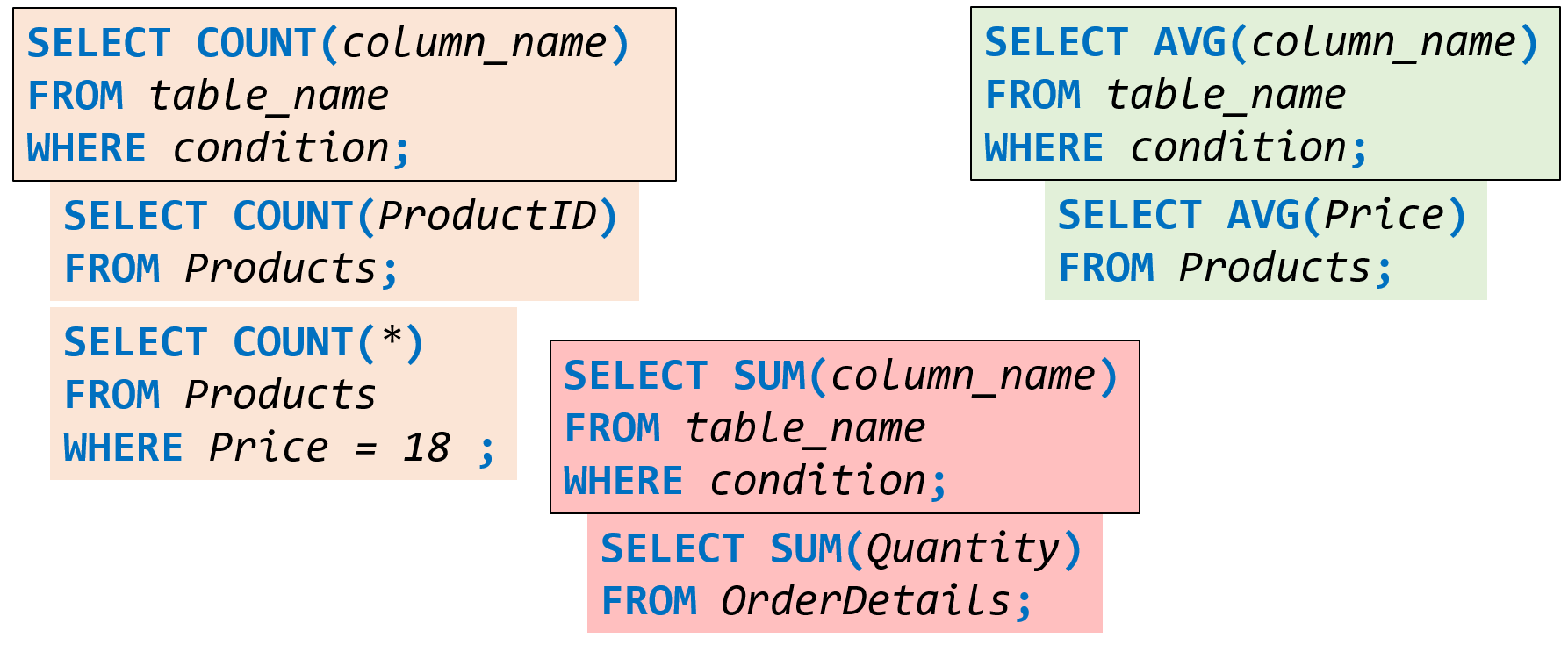
The UPDATE statement is used to modify the existing records in a table.
Be careful when updating records in a table! Notice the WHERE clause in the UPDATE statement. The WHERE clause specifies which record(s) that should be updated. If you omit the WHERE clause, all records in the table will be updated!
DELETE
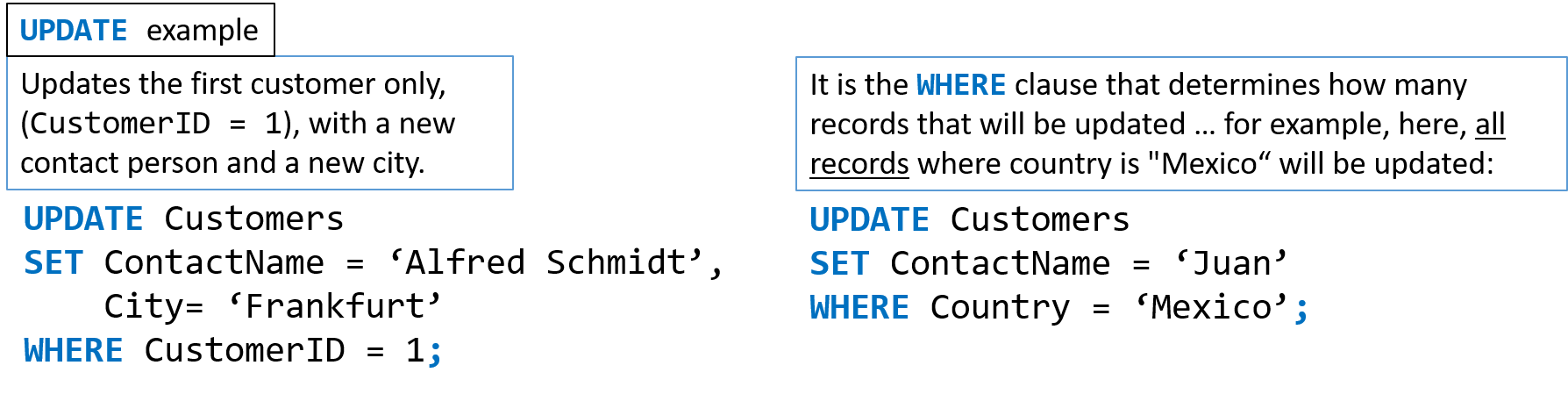
The DELETE statement is used to delete the existing records in a table.
Be careful when updating records in a table! Notice the WHERE clause in the DELETE statement. The WHERE clause specifies which record(s) that should be deleted. If you omit the WHERE clause, all records in the table will be deleted!
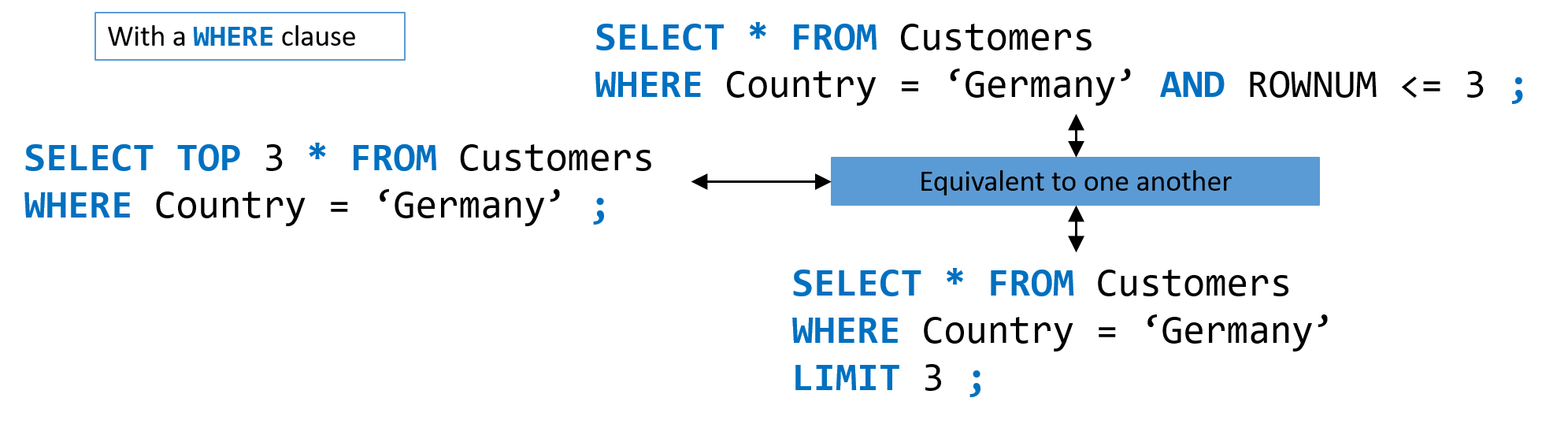
TOP LIMIT ROWNUM
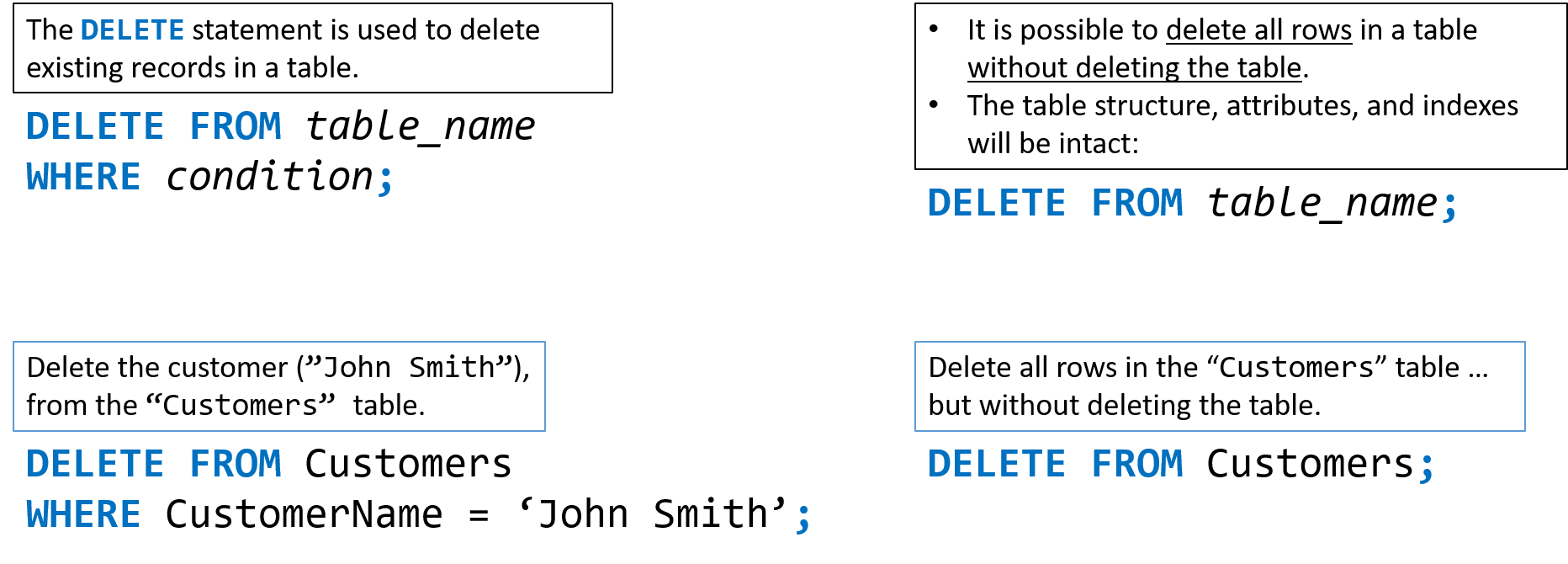
The SELECT TOP clause is used to specify the number of records to return.
The SELECT TOP clause is useful on large tables with thousands of records … because without it, returning a large number of records would impact on performance.
AS
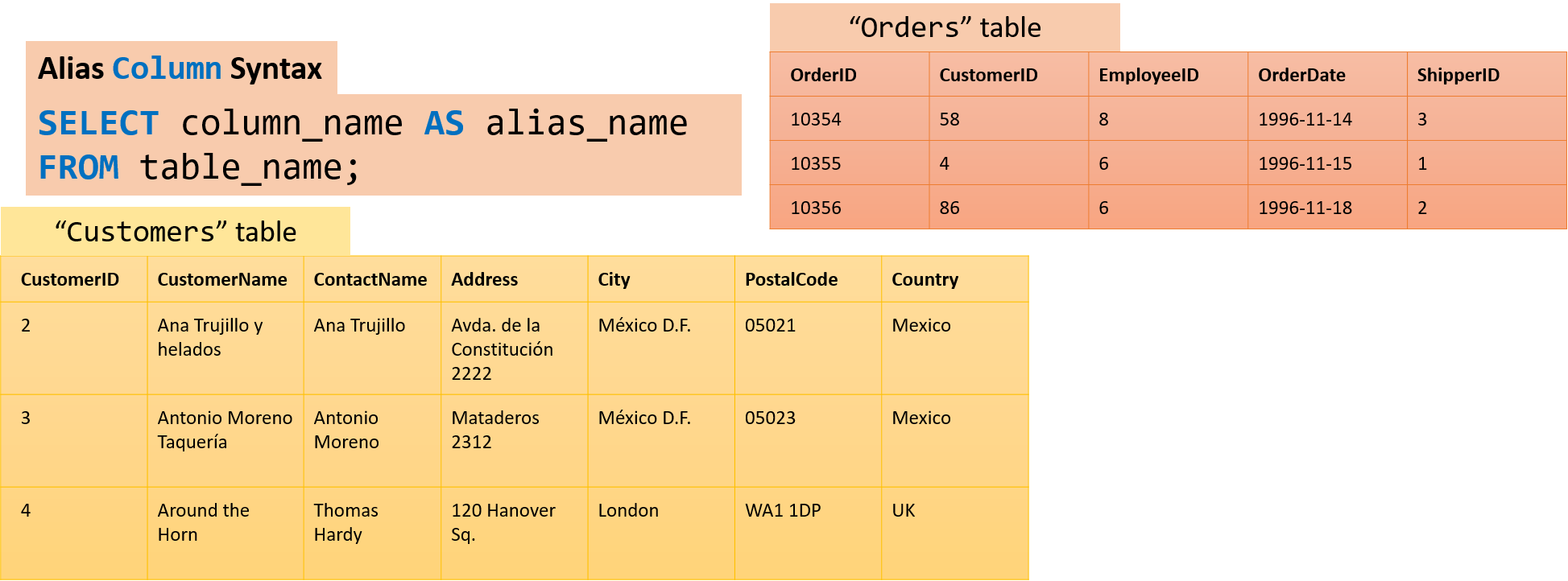
SQL aliases are used to give a table, or a column in a table, a temporary name. Aliases are often used to make column names more readable. An alias only exists for the duration of the query.

- Aliases can be useful when:
- There are more than one table involved in a query.
- Functions are used in the query.
- Column names are big or not very readable.
- Two or more columns are combined together.
Alias for Columns
SQL aliases are used to give a table, or a column in a table, a temporary name. Aliases are often used to make column names more readable. An alias only exists for the duration of the query.
Example 1
-
Create two aliases:
- One for the CustomerID column.
- One for the CustomerName column.
SELECT CustomerID AS ID, CustomerName AS Customer
FROM Customers;
Example 2
-
Create two aliases:
- One for the CustomerName column.
- One for the ContactName column.
SELECT CustomerName AS Customer, ContactName AS [Contact Person]
FROM Customers;
Example 3
-
Create an alias named “Address” that combines four columns (Address, PostalCode, City and Country):
SELECT CustomerName, Address, PostalCode, City, Country AS Address
FROM Customers;
Example 4
Select all the orders from the Customers table with CustomerID=4 (Around the Horn). We use the “Customers” and “Orders” tables, and give them the table aliases of “c” and “o” respectively.
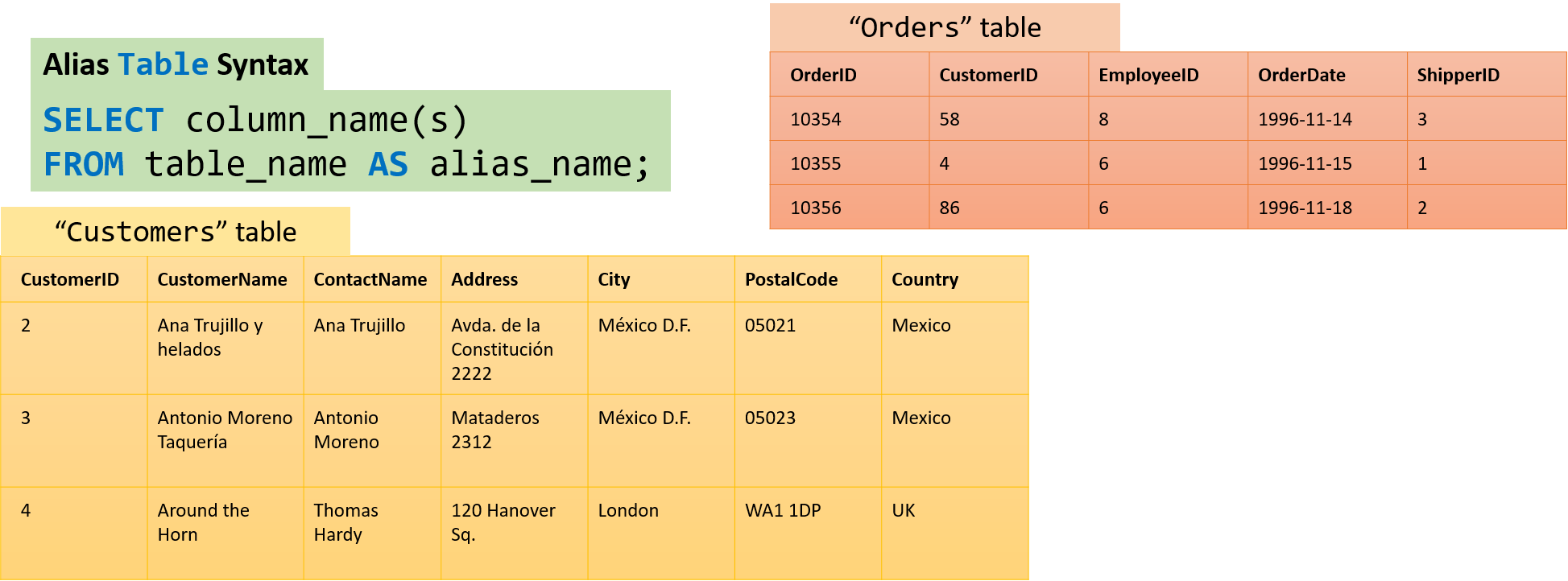
SELECT o.OrderID, o.OrderDate, c.CustomerName
FROM Customers AS c,
Orders AS o
WHERE c.CustomerName="Around the Horn" AND c.CustomerID=o.CustomerID;
MIN() MAX()
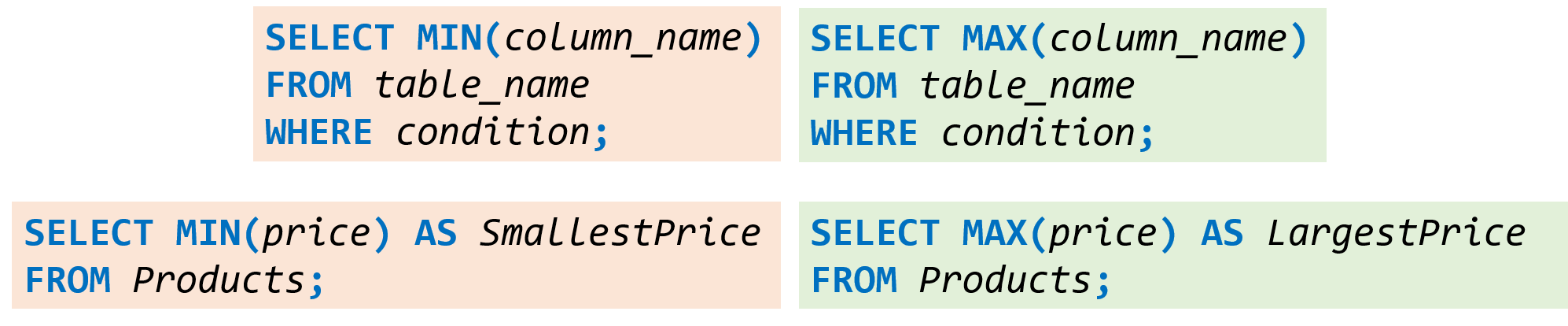
The MIN() function returns the smallest value of the selected column.
The MAX() function returns the largest value of the selected column.
COUNT() AVG() SUM()
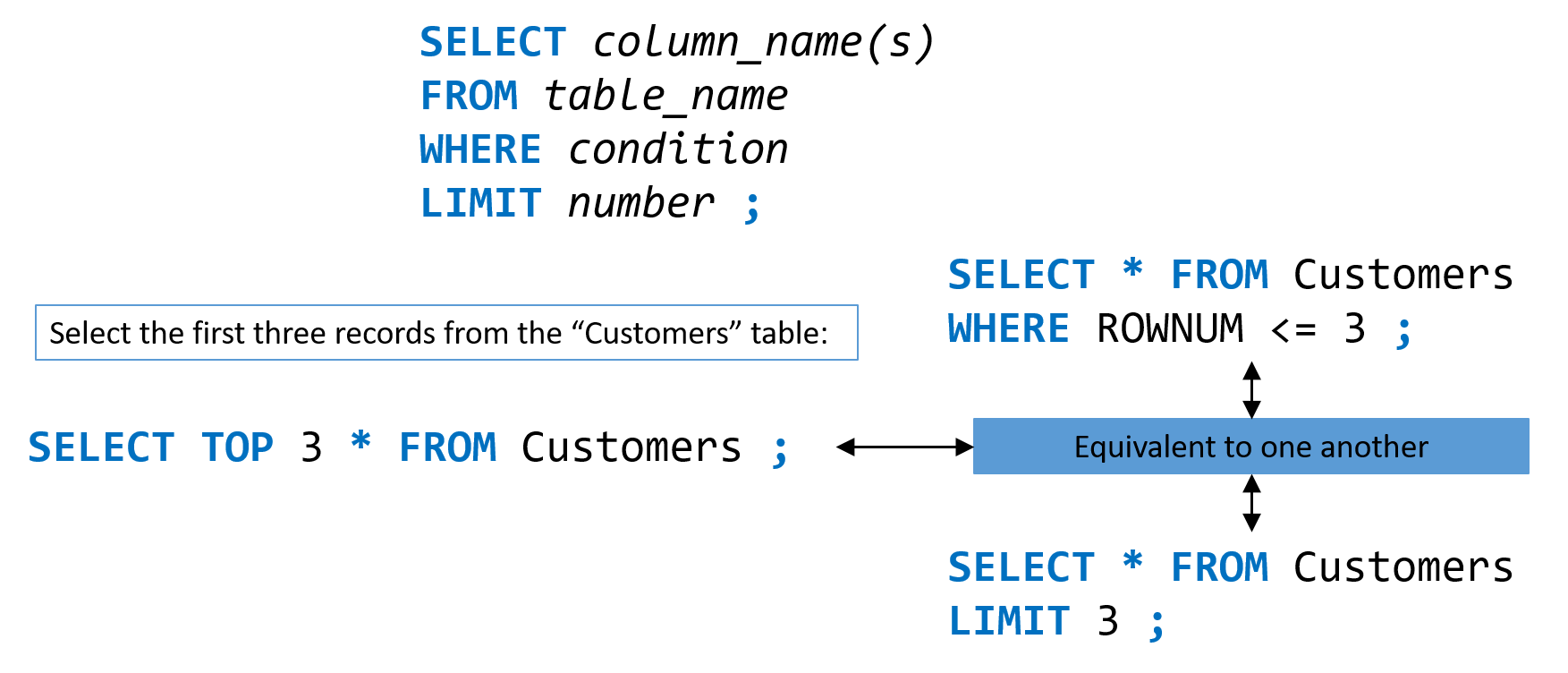
The COUNT() function returns the number of rows that match a specified criteria.
The AVG() function returns the average value of a numeric column.
The SUM() function returns the total sum of a numeric column.